Evergreen analysis · Published
AI Agent Checkpoints: How to Pause Long-Running Tasks Safely
By the ELYMENT AI editorial team · Free to read
AI agent checkpoints are planned pauses in a long-running AI task. They let a business review completed work, spend, evidence and the next proposed action before continuing. Instead of choosing between unattended automation and cancelling the job, a team can set practical boundaries such as a time interval, spend threshold, high-risk tool call or customer-facing change. The worker preserves its progress, produces a concise handover and resumes only within the authority that has been approved.
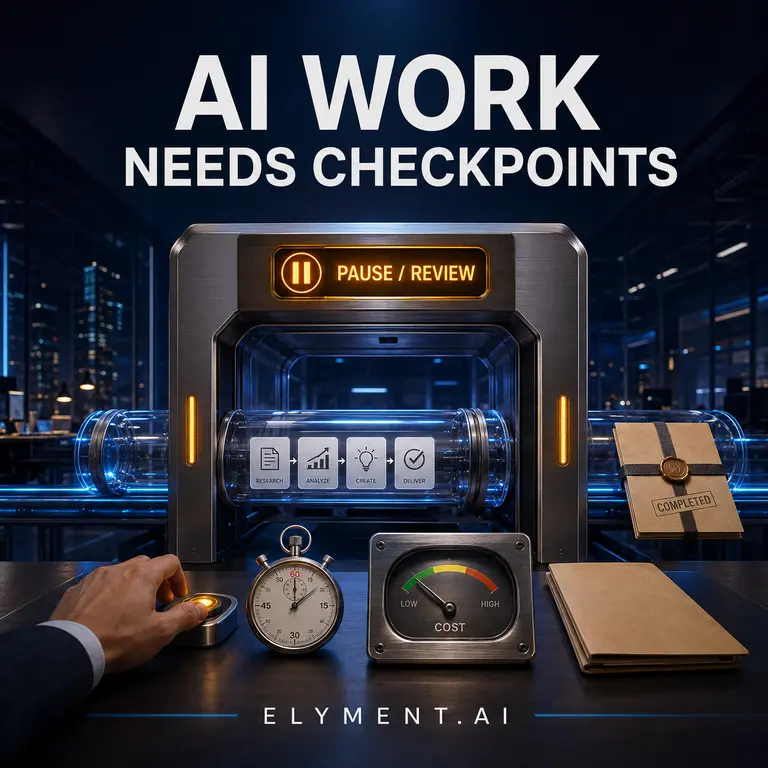
A pause is not a failure
Long-running AI work can be valuable because it crosses several steps: gathering source material, comparing documents, preparing a draft, checking a system and proposing a next action. But it can run longer than expected, consume more credits than intended or encounter an exception that a person should decide. A useful checkpoint turns that moment into a controlled handover rather than a silent cost or a dead end.
The design goal is simple: completed work remains available, the next action is explicit and a named person can continue, redirect or stop the job. That is useful before a task affects money, a client, a permission, a sensitive record or an irreversible system change.
Use four checkpoint triggers
Start with triggers a non-technical owner can understand. A time trigger pauses a task after a defined period, such as 20 or 60 minutes. A spend trigger pauses before a credit or dollar limit is exceeded. A risk trigger pauses before an external message, payment, record change or tool action with meaningful consequences. An uncertainty trigger pauses when the worker lacks an approved source, finds conflicting information or cannot meet its stated confidence rule.
These are operating controls, not proof that a model is unsafe. The point is to match the amount of autonomy to the cost of being wrong. Early deployments should favour more frequent checkpoints, then widen the interval only when real results support it.
- Time: review progress before a long job runs unattended.
- Spend: stop before an agreed credit or dollar ceiling is crossed.
- Risk: require approval before external, financial, permission or irreversible actions.
- Uncertainty: ask for direction when sources conflict or a required input is missing.
What a checkpoint should show
A checkpoint is only useful when the reviewer can decide quickly. Show the goal, work completed, source material used, current spend or consumption, blocked items, the exact next action and the expected consequence of continuing. Link the reviewer back to the relevant draft, document, query or proposed tool action rather than forcing them to reconstruct the job from a chat transcript.
Record the decision too: continue, change the scope, request clarification or stop. NIST's Generative AI Profile emphasises managing risks across the AI lifecycle. In day-to-day operations, a compact record of the task state and decision is far more useful than a vague promise that someone was supervising.
Resume from verified work, not from a guess
When a reviewer continues the task, preserve the approved goal, inputs, source references, prior outputs and authority boundary. Re-check any time-sensitive source or stale integration data before taking the next action. If scope changes, make that a new instruction rather than silently extending the original task. This limits drift and makes it clear which decision authorised which piece of work.
OpenAI's practical guide to building agents recommends starting with well-defined tasks and adding complexity only when it earns its place. Checkpoints apply that principle to runtime: make one bounded decision, observe the result and then allow the worker to continue.
Turn control into a commercial advantage
A team is more likely to use an AI worker on meaningful work when it can see progress without surrendering budget or authority. Measure time saved, completed outputs, correction rate, spend, paused exceptions and approval turnaround. Those numbers help identify which jobs deserve more autonomy and which need a better instruction, source set or tool boundary.
ELYMENT.AI brings AI workers, business context and human oversight into one workspace. Start with one repeatable task, agree the checkpoint trigger before it starts and expand only when the evidence is clear. [Start with ELYMENT.AI](/login) to map a governed AI workflow.
Sources
- OpenAI: A practical guide to building agents (Accessed 14 August 2026) - Guidance on starting agent systems with well-defined tasks and adding complexity only when it is justified.
- NIST: AI Risk Management Framework Generative AI Profile (26 July 2024, updated 8 April 2026) - NIST guidance for managing generative AI risks throughout the AI lifecycle.
Continue learning
Related analysis
- AI Agent Approval Workflow: A Practical Guide for Businesses
A practical guide to putting approval gates around AI workers, so teams gain speed without handing over pricing, payments, client commitments or sensitive record changes.
Frequently asked questions
What is an AI agent checkpoint?
It is a planned pause in an AI task that captures progress, relevant evidence, cost or time used and the next proposed action so a person can decide whether to continue, change scope or stop.
Do checkpoints mean an AI worker cannot work autonomously?
No. Low-risk, reversible work can remain automated. Checkpoints are most useful for long jobs and actions with financial, customer, privacy, permission or irreversible consequences.
What should happen when an AI task resumes?
Resume from the approved task state, retain its source references and authority limit, and re-check any stale or time-sensitive information before the next consequential action.