Evergreen analysis · Published
AI Document Intake Automation: A Governed Workflow for Service Businesses
By the ELYMENT AI editorial team · Free to read
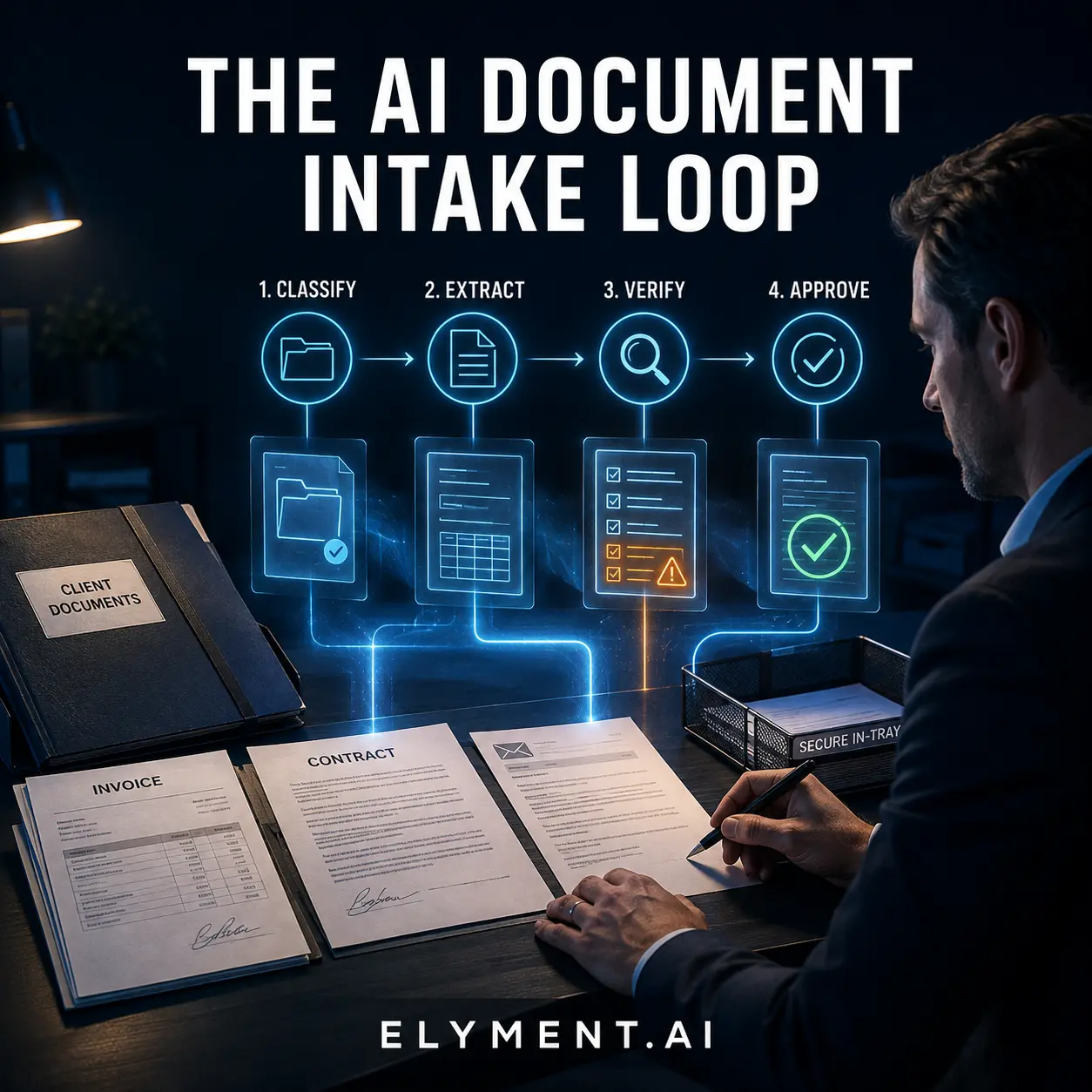
AI document intake automation is most useful when it turns incoming files into an orderly review queue, not when it makes unreviewed decisions. A well-designed AI worker can classify a document, extract agreed fields, identify what is missing and present relevant source context to a person. Keep human approval before the workflow changes a client, billing or legal record, sends an external commitment, or reaches a conclusion needing professional judgement.
Start with one document family
Do not point an AI worker at every file in the business. Start with a repeatable document family: client intake forms, supplier invoices, engagement documents or service requests. Define the fields the team needs, the trusted source for each field and the next destination. If an item does not match the expected type, is incomplete or conflicts with a record, route it to a person rather than guess.
A professional-services firm might use a worker to collect a new-client form and attachments, identify client and matter details, then prepare a record for an administrator. The administrator verifies the extracted information against the original files before creating or updating anything material. That removes repetitive transcription without treating model output as the source of truth.
Extract facts, not conclusions
AI can interpret natural language and extract meaning from unstructured documents, where rigid rules become difficult to maintain. But extraction and judgement are different jobs. Return a structured field, its source reference and an uncertainty signal. Do not silently decide whether a contract clause is acceptable, an invoice is payable or a client is eligible.
The reviewer should see proposed values, original context and the reason an item was flagged. They can approve, correct or escalate with the source material close at hand. Clear instructions, narrowly defined tools and explicit escalation rules also make the process easier to test.
Place approval points around consequences
A low-risk classification can route a file into a review queue. A change to an account, invoice, pricing record, legal file or client communication deserves a person in the loop. OpenAI's agent guidance recommends models, tools and instructions operating within clear guardrails. NIST's Generative AI Profile frames trustworthiness as something organisations should consider across design, use and evaluation.
For each step, decide what the worker may read, prepare and actually change. Keep a record of the file, extracted data, source context, reviewer decision and exceptions. That is more useful than a vague promise that the system is accurate.
- Accept only defined file types and send uncertain items to an exception queue.
- Extract a small, agreed set of fields with references to the source.
- Require review before financial, legal, client or irreversible record changes.
- Measure correction, escalation and completion rates before widening the scope.
Build a workflow that can improve
Begin with supervised samples and compare proposed fields with the original document. Track time from receipt to ready-for-review, the percentage needing material correction and the cost per useful intake. These measures show whether the workflow is improving and whether it is ready for another document type.
ELYMENT.AI brings AI workers, DocAI, CRM context, communications and approval workflows into one business workspace. Map one high-volume document hand-off, decide what needs human sign-off and use the result to make the next step more reliable. Explore the platform to start building a governed AI workflow around the work your team already does.
Sources
- OpenAI: A practical guide to building agents (Undated, accessed 12 August 2026) - Explains agent workflows, tools, guardrails, incremental deployment and use cases involving unstructured document data.
- NIST: Artificial Intelligence Risk Management Framework, Generative AI Profile (26 July 2024, updated 8 April 2026) - A cross-sectoral companion resource for incorporating trustworthiness considerations into generative AI design, development, use and evaluation.
Continue learning
Related analysis
- AI Lead Response Automation: A Practical 24/7 Workflow for Service Businesses
A practical, governed way for service businesses to use AI lead-response automation: capture enquiries, qualify context, draft a reply and keep a human in control of the send.
Frequently asked questions
Can AI process sensitive business documents?
It can assist, but access and permissions should match the sensitivity of the data. Limit the information and systems required for the task, keep human approval for consequential actions and obtain appropriate privacy, security and legal advice for the business and jurisdiction.
Which documents should be automated first?
Choose a high-volume, repeatable document family with clear fields, a known reviewer and a stable next step. Avoid starting with work that requires nuanced legal, financial or professional judgement unless the AI is only preparing information for a qualified person.
Does document intake automation remove human review?
No. The useful first goal is to remove repetitive sorting and transcription while making exceptions easier to see. Human review should remain for uncertain items and for decisions that change a customer, financial or legal outcome.